Flutter at Scale: Riverpod + Clean Architecture
Flutter at Scale: Riverpod + Clean Architecture
I built my first production Flutter app with a flat folder structure and Providers everywhere. Six months in, I had 40 files in a single lib/ directory, state leaking between screens, and no idea which widget owned which data. The refactor took longer than the initial build.
After shipping multiple Flutter projects, I landed on a structure that scales: clean architecture layers enforced by folder boundaries, Riverpod for dependency injection and state management, and a strict rule about who talks to whom.
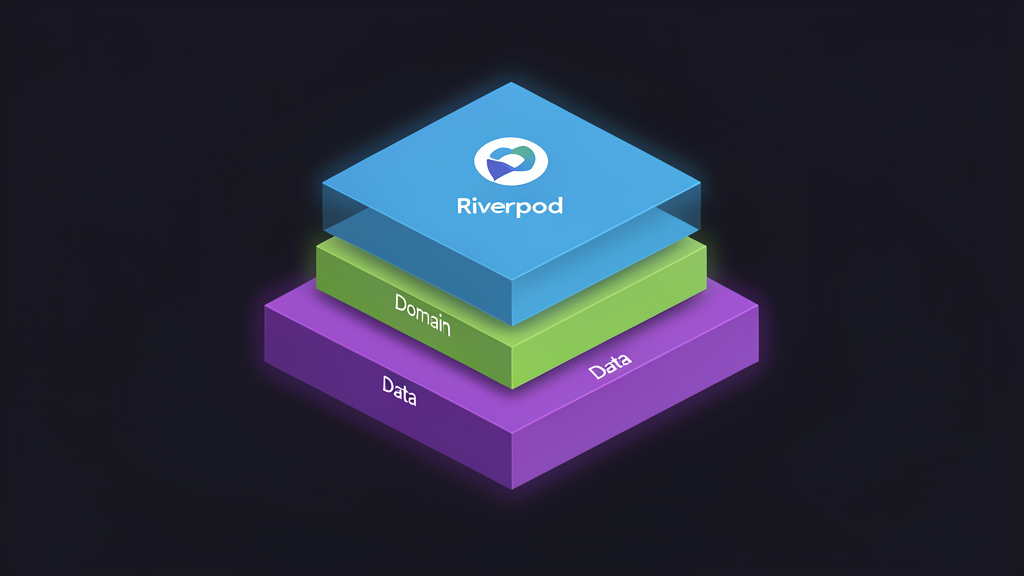
The Three-Layer Split
Every feature in my apps follows the same pattern: presentation, domain, and data. Not as abstract concepts, as enforced folder boundaries.
lib/
  features/
    payments/
      presentation/
        pages/
        widgets/
        providers/    # Riverpod providers for this feature
      domain/
        entities/
        repositories/  # Abstract repository interfaces
        usecases/      # Business logic functions
      data/
        models/        # DTOs, fromJson/toJson
        repositories/  # Concrete implementations
        datasources/   # API clients, local DB
The dependency rule is simple: presentation depends on domain, data depends on domain. Domain depends on nothing. No import from data/ in presentation/. No import from presentation/ in domain/. I enforce this with import lint rules and code review.
Why Riverpod, Not BLoC
BLoC is the enterprise default. I used it for two projects. The boilerplate adds up: events, states, bloc classes, and separate files for each. For a login flow, you write four files before you render a single widget.
Riverpod gives me the same testability with less ceremony. A provider is a declared dependency. It can hold state, compute derived values, or fetch from an API. The dependency graph is explicit and compile-time checked. When I need a BLoC-style event stream, I use StreamProvider. When I need a simple value, I use StateProvider. No framework tax for simple cases.
The killer feature: scoped providers. A provider can be overridden for a specific widget subtree. This makes testing trivial. Override the API client provider with a mock, and the entire feature under test runs against fake data. No DI framework, no reflection, no code generation.
The Use Case Pattern
Each user action maps to a single use case file in domain/usecases/. A use case takes input, calls a repository, returns output. No widget references. No state management. Pure business logic.
// dartclass ProcessPayment {
  final PaymentRepository repo;
  ProcessPayment(this.repo);

  Future<Either<Failure, Receipt>> call(PaymentRequest req) {
    // Validate, transform, delegate to repo
  }
}
The presentation layer calls this through a Riverpod provider. The provider handles loading state, error state, and cache invalidation. The widget tree just renders.
What This Costs You
Upfront boilerplate. A three-screen feature creates 8 to 12 files. The first week on this pattern feels slow.
The payoff comes at month three, when a new developer can find the payment logic by looking at the folder structure, when swapping the API client means changing one file in data/datasources/, and when every feature can be tested in isolation without mounting a widget.
Architecture is about trade-offs, not silver bullets. This one trades upfront ceremony for long-term velocity. In production, that trade pays off the moment you onboard someone new to the codebase.
$ /related
CQRS in Practice: When Textbook Patterns Meet Real Constraints
CQRS looks elegant in architecture diagrams. In production, it introduces complexity you didn't plan for. Here's what I learned applying it under real constraints.
Event-Driven Architecture Without Event Sourcing Complexity
Event-driven doesn't require event sourcing. You can decouple services with lightweight event patterns — no Kafka cluster or distributed systems PhD needed.
React Server Components Made Me Rethink Client-Side
RSC doesn't just move rendering to the server. It destroys the 'client vs. server' mental model and replaces it with something sharper.