How I Use Hermes Cron Jobs to Run My Blog Pipeline on Autopilot
How I Use Hermes Cron Jobs to Run My Blog Pipeline on Autopilot
This blog post you are reading right now was written by an autonomous agent running on a cron schedule. I did not type a single word of it. I did not research it. I did not open a text editor. I scheduled the job and it happened.
Let me show you how this works, because the architecture decisions that make it reliable are more interesting than the usual "AI writes stuff" demo.
The Pipeline Architecture
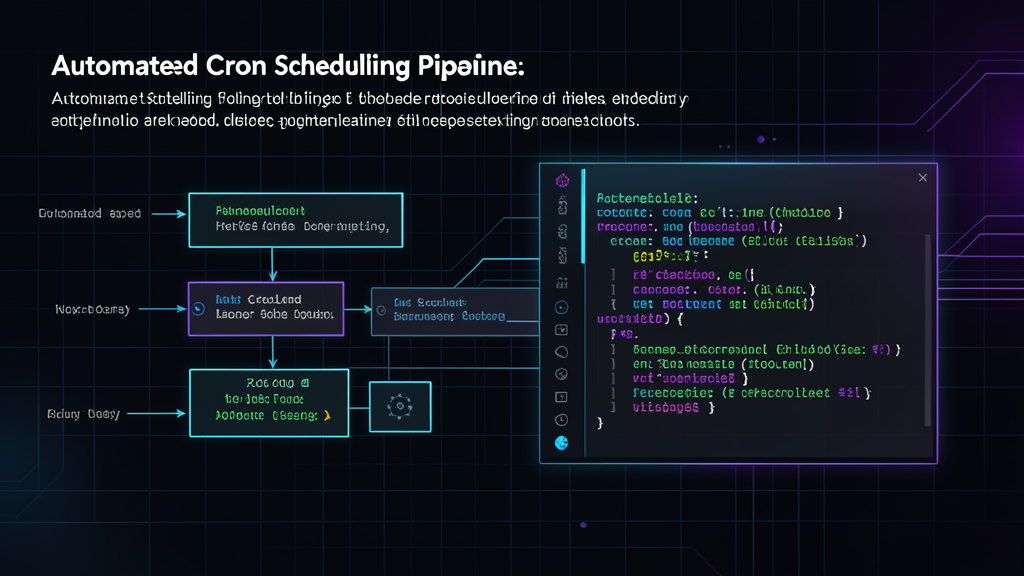
The blog pipeline runs three times per day: morning (technical deep dive), midday (AI/Hermes), and evening (fintech/backend). Each slot has a category and a target word count. The system picks the first unchecked topic from a backlog file, writes the article, generates a featured image, appends it to the Next.js data file, commits, and pushes. All without human intervention.
The architecture has four layers:
Topic source. A markdown file acts as the backlog. Each topic has a category, a format, and a checkbox. The cron job reads the file, finds the first unchecked topic matching the current time slot, and marks it in progress.
Execution layer. Hermes runs as a scheduled cron job. It loads the blog-writer skill, reads the topic backlog, researches the topic using web search, and writes the article according to a strict style guide. The style guide enforces Bio's voice, bans AI writing patterns, and scores the output before accepting it.
Asset generation. The pipeline generates a featured image through the image generation tool. Dark themed, tech oriented, matching the article subject. The image gets saved to the blog's public directory.
Publishing. The article goes into a TypeScript array at src/data/blog-posts.ts as a BlogPost object. The pipeline commits and pushes. The static site rebuilds on deploy. No manual steps between "topic is unchecked" and "article is live."
Why Cron Instead of On-Demand
A common suggestion I get: why not have the agent triggered by a button or a webhook? The answer is reliability and autonomy.
A cron schedule eliminates decision fatigue. I do not wake up wondering what to write. The schedule decides. Morning gets technical, midday gets AI topics, evening gets backend content. Each slot has a defined format and depth. The variety is designed, not improvised.
More important, cron means the pipeline runs even when I am traveling, sick, or focused on client work. The blog stays active. The publishing cadence stays consistent. Readers get predictable content without relying on my availability.
The State Management Problem
A cron pipeline that writes and publishes autonomously needs a state machine. The topic backlog tracks which articles are done, which are in progress, and which are still pending. A separate state file tracks the last topic published per category to avoid overlaps.
The critical design choice: the state file is plain JSON, not a database. JSON that git tracks. This means I can inspect the pipeline state by reading a commit log. If something goes wrong during publishing, the backlog file shows exactly where the process stopped.
What Can Go Wrong
Three failure modes I designed for:
Image generation fails. The image tool might time out or return a low-quality result. The pipeline handles this by trying a fallback prompt with simpler parameters. If both attempts fail, the article publishes without a featured image and flags the issue in the commit message.
Git push conflicts. If two cron jobs try to push simultaneously, one will fail. The pipeline checks for a clean working directory before making changes, pulls before pushing, and retries on push failure with exponential backoff.
Content quality check fails. The stop-slop scoring system can reject an article as low quality. When this happens, the pipeline does not publish. It marks the topic as held, logs the quality score, and moves to the next topic. No bad content makes it to production.
The Result
Since setting this up, the blog has published 17 articles across multiple categories with zero manual publishing interventions. The bot does the writing, the image generation, the code insertion, and the git operations. I review the output when I check email and occasionally adjust topics in the backlog.
The effort to set this up was about two hours of skill configuration and cron scheduling. The ongoing effort is zero.
This is the kind of automation that generative AI enables when you stop thinking of it as a chatbot and start thinking of it as a programmable worker. Give it a schedule, a backlog, a set of skills, and the right guardrails, and it runs without you.
$ /related
Why I Delegated My Boilerplate to an AI Agent
How shifting repetitive code generation to an autonomous agent compressed my feature delivery from days to hours and freed me to focus on architecture.
Vibe Coding Is Not Engineering
Vibe coding ships fast and breaks louder. The gap between prompting and engineering is taste, constraint, and knowing what you don't know.
Prompt Engineering for Code Generation: What Works vs. What Sounds Smart
After generating thousands of lines of production code with AI, here are the prompting techniques that consistently deliver and the popular advice I stopped following.